

🤔 Brainteaser of the day: On which day of the year do the fewest people die?
Click here to see the answer.
✅ Today’s Checklist:
- The 30-second phone setting that kills the scroll
- The wishing-tree romance that turns into a thriller
- Pet of the week: Meet June
QUICK LINKS
🎁 Take the stress out of gifting with these top gift-sending services.
🌿 Workforce well-being in 2026: five trends changing how companies think about health.
🤐 Nine chatbot habits to drop, because your convos aren’t as private as you think.
🌿 Screen time limits that stick, without the dramatic detox.
DOOMSCROLLING

Your Phone is Winning. Here’s One Hack You Can Steal Today.
I’m not addicted to my phone, per se. I could easily be without it. But I use it to take photos and document a lot. And sometimes I catch myself reaching for it for no reason, then feeling weirdly disappointed when there’s no notification waiting. I catch my brain obsessing over those small hits of dopamine. And at night? I’m guilty of scrolling reels in an almost intoxicating way. I think we all have a version of this.
So how do we reduce it, without throwing the phone into the abyss?
Why it’s not your fault
Apps like TikTok and Instagram aren’t accidentally addictive. They’re engineered that way.
Every time you open one, your brain gets a hit of dopamine. The trick these apps use is called variable reward, the same mechanism that makes slot machines impossible to walk away from.
You never know if the next swipe will be boring or amazing, so your brain keeps pulling the lever just in case. Add infinite scroll (no natural stopping point), autoplay, and those little red notification badges (each one a tiny “come back” alarm), and you’ve got a system built to override your willpower.
So when you look up and realize you lost 45 minutes, that’s a mega corporation’s product working exactly as designed.
The good news: once you know it’s designed, you can design right back. Here are the actual hacks, ranked by how little effort they take for how much they give you back.
Hack #1: Make your phone grayscale (30 seconds, biggest payoff)
This is the one. If you do nothing else, do this.
Those apps are built with bright, saturated colors on purpose. Strip the color out and the pull mostly dies. Peer-reviewed studies found grayscale cuts daily screen time by 30 or so minutes, just from killing the candy colors and red badges.
On iPhone: Go to Settings > Accessibility > Display & Text Size > Color Filters. Toggle it on, pick Grayscale. Done, your screen is now black and white.
But here’s the real hack, so you can flip it back to color instantly when you want to take a photo: Go to Settings > Accessibility > Accessibility Shortcut and select Color Filters.
Now triple-clicking your side button toggles grayscale on and off in a second. Apple’s official walkthrough is here.
On Android: It’s baked into Bedtime Mode, or go to Settings > Accessibility > Color and motion > Color correction > Grayscale (Pixel), or Settings > Accessibility > Visibility enhancements > Color adjustment > Grayscale (Samsung).
Try scrolling Instagram in black and white tonight. It’s shocking how fast the magic wears off.
Hack #2: Limit the category, not the app
Everyone sets a timer on Instagram, hits the limit, and just switches to TikTok. The fix is to limit the whole category, which closes that side door.
On iPhone: Settings > Screen Time > App Limits > Add Limit. Choose the Social category (not one app), set your number. Then, crucially, tap into the limit and turn on Block at End of Limit, otherwise you’ll just tap “Ignore” and keep scrolling. Apple’s guide here.
On Android: Settings > Digital Wellbeing & parental controls > Dashboard > tap an app > Set Timer. Or use Focus Mode to pause a whole group of apps at once. Google’s guide here.
Then lock it behind a passcode that’s different from your unlock code (Screen Time > Lock Screen Time Settings on iPhone), so you can’t undo it at 11pm.
Hack #3: Kill the badges
Those red notification bubbles are engineered dopamine bait. Turn them off for social and news apps and watch how much less you reach.
On iPhone: Settings > Notifications > pick the app > toggle off Badges (or turn off Allow Notifications entirely for the worst offenders).
On Android: Settings > Notifications > App notifications > pick the app > turn off.
Hack #4: Fill the space, don’t just empty it
Your brain will want that dopamine from somewhere, so give it somewhere to go. This is the part screen-time advice always skips.
The single most effective swap: charge your phone across the room and put a book on your nightstand. If the phone’s out of reach and the book is right there, you’ll reach for the book. The night scroll is usually just a wind-down ritual we defaulted to because nothing else was set up.
The point is be more present
I’m not telling you to move to the woods. I love a good scroll and a group chat as much as anyone. The goal is to use your phone on purpose, so you’re the one deciding instead of an algorithm built to keep you hooked.
Especially heading into the darker months, protecting your attention is protecting your mental health.
So pick one. Flip on grayscale right now, it takes 30 seconds. Do that ONE thing today.

Thania (TA Content Mgr)
THREE HOURS BACK

Wait… Excel Can Do That?!
You already know Excel can crunch numbers, but what if it could also save you hours every week?
Miss Excel (aka Kat Norton) is hosting a free live class to show you how to build dashboards that are clean, clickable, and (yes) kinda life-changing:
- See how much time you’re losing to emails
- Track “this could’ve been an email” meetings
- Turn your daily chaos into a sleek, smart visual
You’ll learn how to:
✅ Build interactive dashboards from scratch
✅ Automate the stuff you’re still doing manually
✅ Turn messy data into decision-ready visuals
Bonus: You’ll get her brand-new Dashboard Cheat Sheet just for signing up.
Whether you’re a spreadsheet newbie or a formula fanatic, this class will make Excel feel a lot more magical.
STAFF PICKS
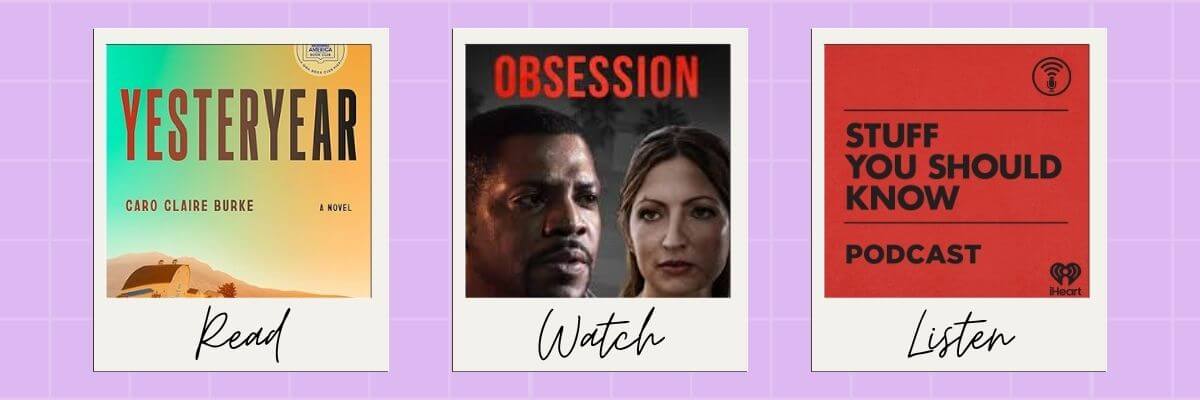
📚 Read: The Flyover
A quick, unbiased morning newsletter that breaks down the day’s biggest stories across politics, business, tech, sports, and culture. It’s fact-first, easy to finish in five minutes, and already part of the morning routine for 3.5 million readers.
📺 Watch: Obsession (Prime Video)
A hopeless romantic breaks a mysterious wishing tree to win his crush’s heart and gets exactly what he asked for, until the price starts showing itself.
🎧 Listen: You Are Not Alone With Postpartum Depression (Stuff You Should Know)
Stuff You Should Know devotes a full 46-minute episode to postpartum depression, and they treat it with the seriousness and depth it deserves. If you or someone you love has been through it, this one will feel like a relief to listen to.
TAB OVERLOAD

Ask Once and the Whole Multi-Step Errand Gets Done
You already have an AI tab open. It answers, then hands the work back: you still open Drive, find the file, paste it in, write the recap.
Eney, from MacPaw, does the steps. Ask once and it pulls the Drive file, updates your Notion doc, and drafts the follow-up. It sits in on calls and writes the notes.
Mac only, M-series on macOS 15+. Free credits on Setapp now.
JUST FOR FUN
COMMUNITY
 Upcoming Events
- Tues 8/25 @ 10AM PT: Prompt Engineering 101 (SGS Only* | Join the waitlist)
- Thurs 9/3 @ 9AM PT: Resilience Workshop with NextArrow (SGS Only* | Join the waitlist)
* Smart Girl Society is our private community for women who want deeper conversations, accountability, and tools that actually make life easier. Join the waitlist to get in the next round.

PET OF THE WEEK

Meet June
June is a 2.5-year-old American pitbull who treats every meal like opening night. She spins, hops, and full-body wiggles like she’s auditioning for So You Think You Can Snack, and she is absolutely winning. Off the clock, she’s a professional cuddler and a master of the head tilt: that slow, serious lean that makes you feel like she’s hanging on your every word and silently judging your grammar at the same time. Especially if those words might lead to treats.
🐾 Got a cute fur baby? Submit them to be our pet of the week in an upcoming issue.
SPILL THE TEA
Take Our Poll
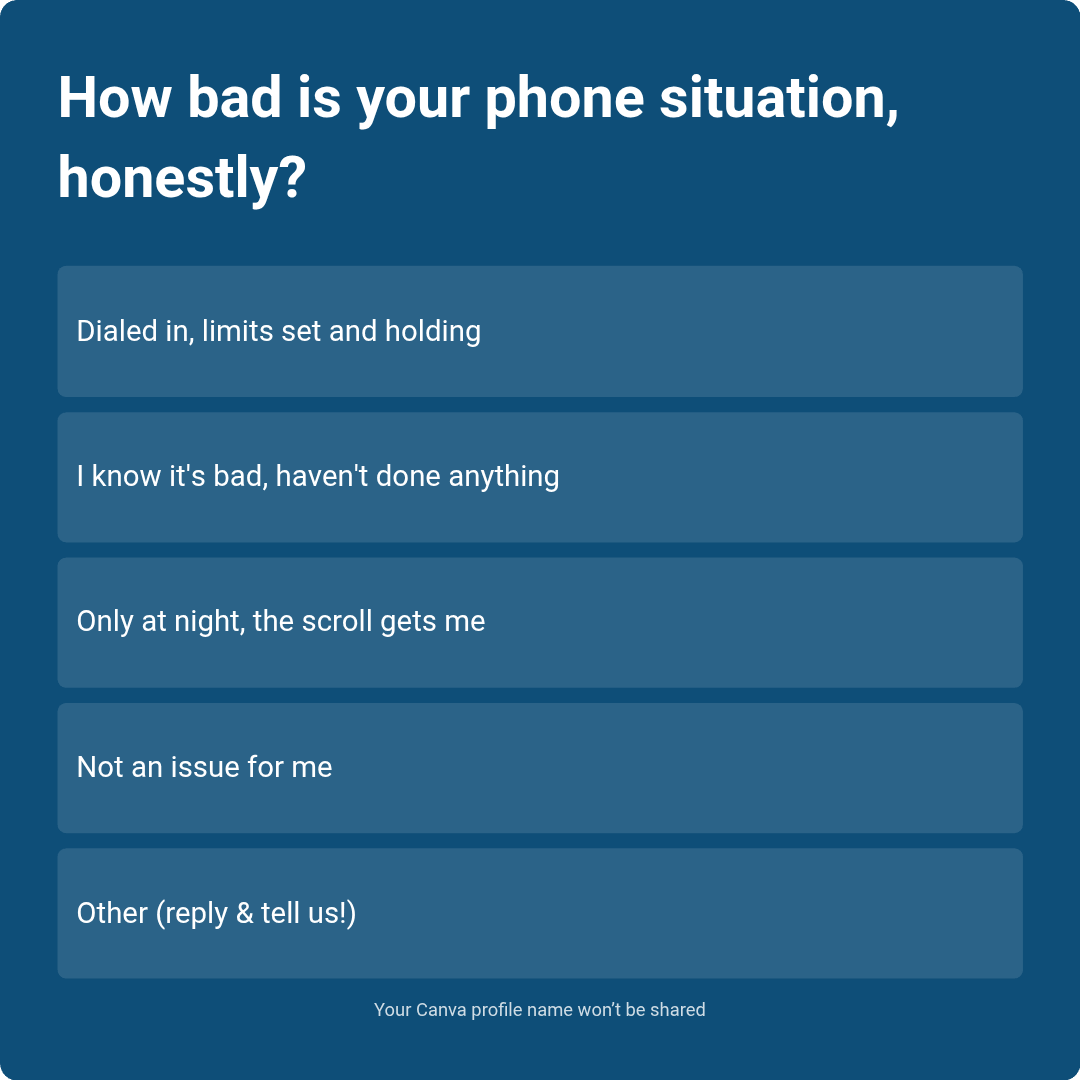
Have more feedback? 💌 Reply to this email and tell us.
✨ P.S. Want more inspiration and positivity to kick off your week? Sign up for our Motivational Monday texts (U.S. only).
👀 Want to see if your company is a good fit for our 250k+ ambitious readers? Join our Sponsor Waitlist here.