

✅ Today’s Checklist:
- 10 slack shortcuts most people have never tried
- When ‘it’s just my job’ is costing you
- Yolanda Gordon’s mentor rule
🤔 Riddle me this: I hold a heart but no body, a king and a queen but no kingdom, and my diamonds aren’t worth a cent. What am I? (Find the answer on the bottom).
📆 This Thurs 7/9 @ 9am PT / 12pm ET: we’re running a free 60-minute live session on the exact goal system we use every week to set and actually hit our quarterly goals. Save your seat here.
QUICK LINKS
💥 Women’s share of senior roles is actually sliding backward, three years running.
🧬 A no-hype guide to peptides and what they actually do.
🤖 Every Gemini feature worth knowing, in one quick tour.
🧠 26 company-culture platforms, from recognition to wellness to team building, all in one list.
PRODUCTIVITY

10 Slack Tips and Shortcuts You Actually Need to Know
You’ve been using Slack every day for years. You type, you send, you scroll. You’ve also spent more time than you’d like hunting for a message from last Tuesday, navigating to a channel with your mouse, and forgetting to follow up on something you promised two hours ago.
Most people use a fraction of what Slack can actually do. These shortcuts won’t require memorizing a hundred commands. Start with two or three, and your daily Slack experience gets noticeably less frustrating.
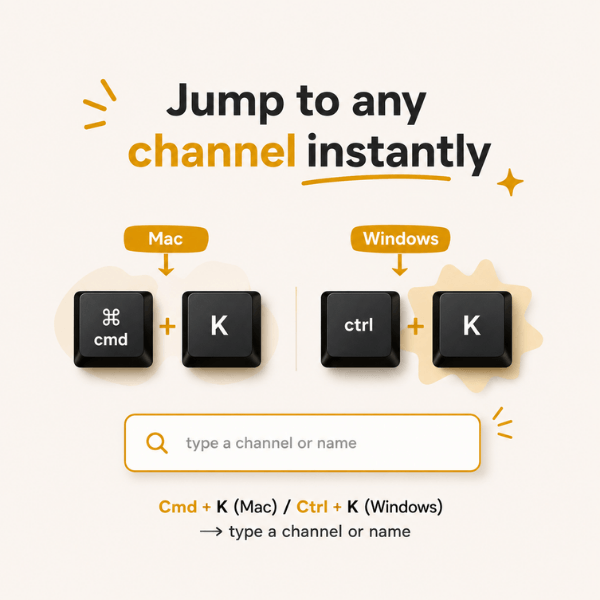
1. Jump to Any Channel Instantly with Cmd + K
Press Cmd + K (Mac) or Ctrl + K (Windows) and type the first few letters of a channel name or person. Slack finds it immediately. Power users barely touch the sidebar; this shortcut alone is worth the two seconds it takes to learn.
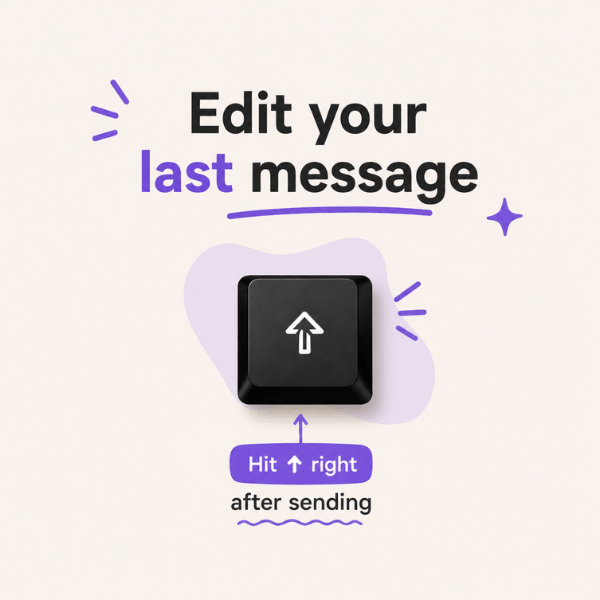
2. Edit Your Last Message Without a Typo Reply
Sent a message and immediately spotted a mistake? Press the Up arrow key right after sending and Slack opens it for editing. No need to send a correction reply that the whole channel sees.
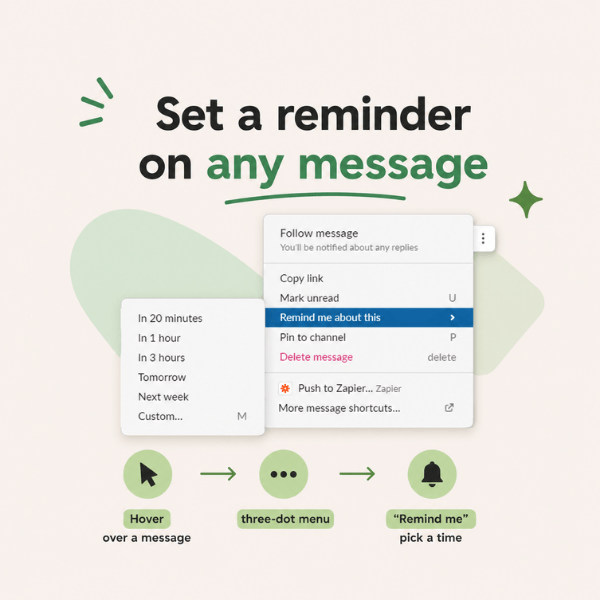
3. Set a Reminder on Any Message
Hover over any message, click the three-dot menu, and select “Remind me about this.” You can choose 20 minutes, one hour, tomorrow morning, or a custom time. It’s the difference between “I’ll follow up on that” and actually following up on that.
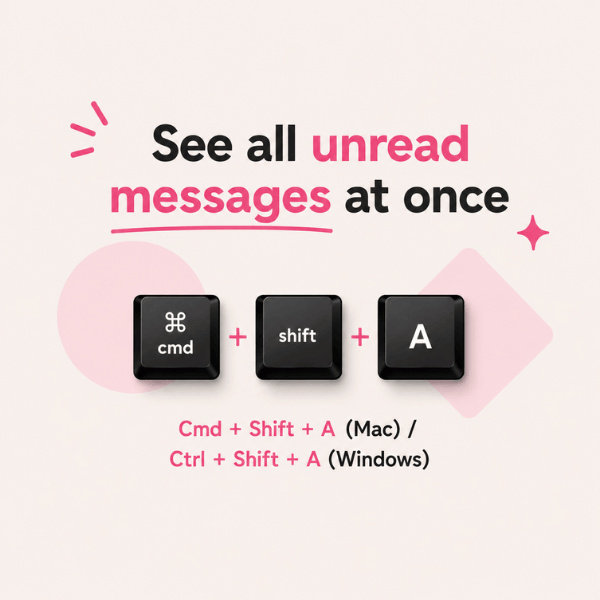
4. See All Your Unread Messages at Once
Press Cmd + Shift + A (Mac) or Ctrl + Shift + A (Windows) to pull up every unread message across every channel in one view. Especially useful first thing in the morning when you’ve been offline since Thursday afternoon.
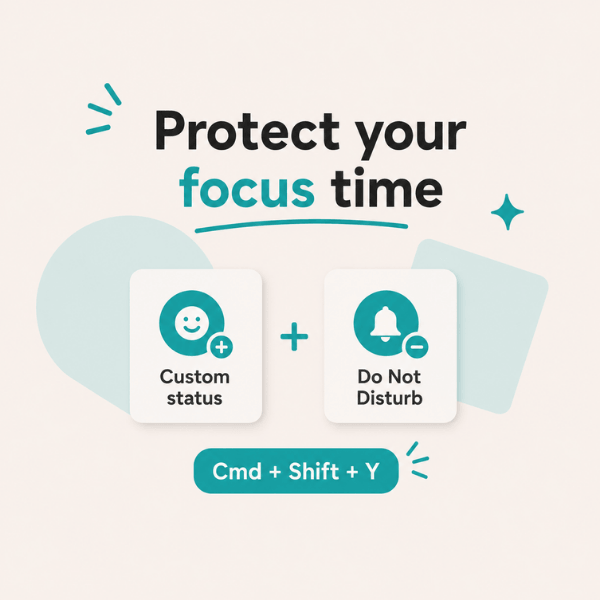
5. Protect Focus Time with Status and Do Not Disturb
Set a custom status like “Heads down until 2pm” so your team knows where you are without you having to announce it in every channel. Pair it with Do Not Disturb (Cmd + Shift + Y) to silence notifications for a set window. Two actions, and your focus time actually holds.
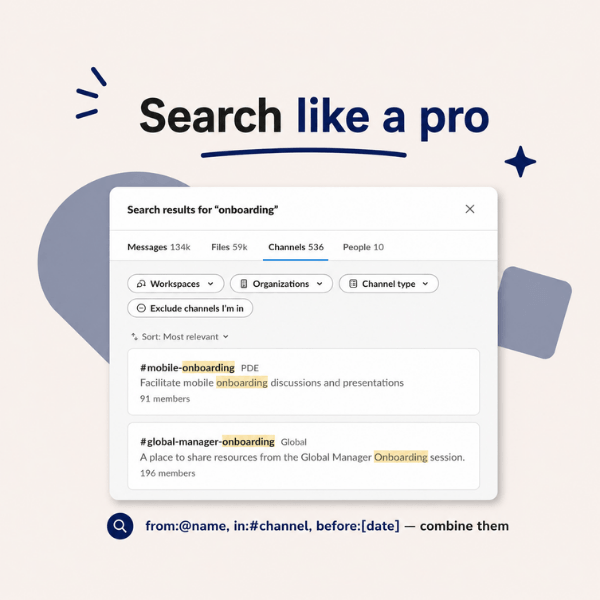
6. Use Search Operators to Find Anything Fast
Slack’s search bar is far more useful than most people realize. Type from:@name to filter by sender, in:#channel to search within one channel, or before: followed by a date to narrow results. Combine them to find almost anything in seconds, without scrolling back through weeks of messages.
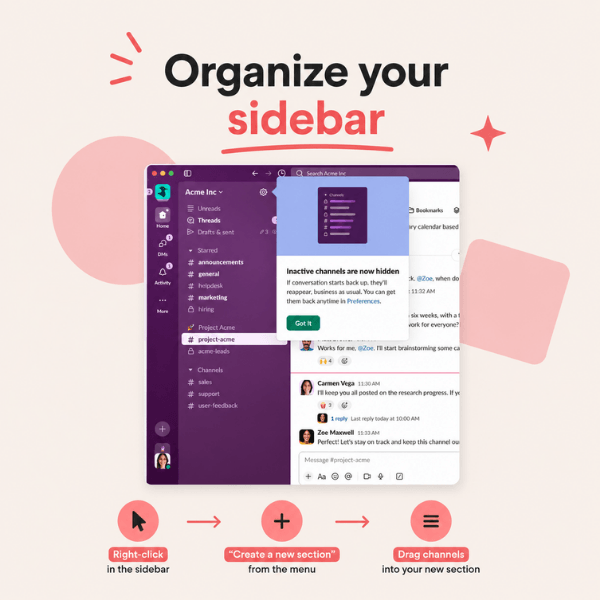
7. Organize Your Sidebar into Custom Sections
Right-click anywhere in your sidebar and select “Create a new section.” Name it whatever makes sense: Clients, Active Projects, Must Watch. Drag channels into it. If your sidebar is currently a scrolling wall of 40 channel names, this one change will make you feel like a different person.
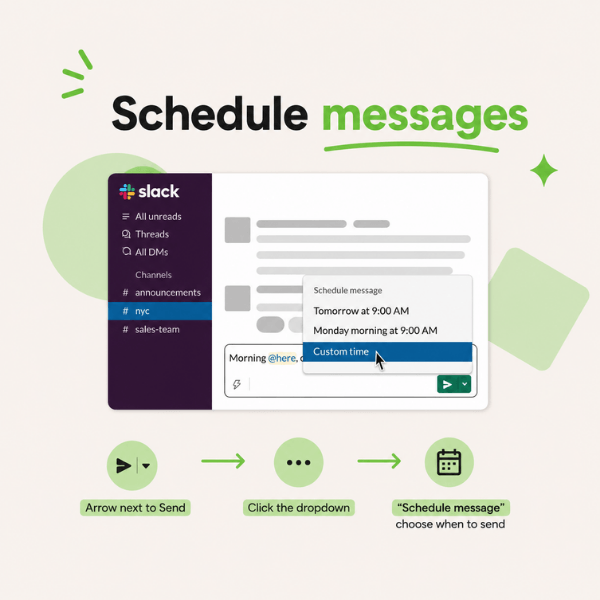
8. Schedule Messages to Send Later
Type your message and instead of hitting send, click the small arrow next to the send button and choose “Schedule message.” Perfect for when you’re working late and don’t want to ping someone outside their hours, or for any cross-time-zone coordination that’s been causing unnecessary 7am notifications.
9. Turn on Keyword Notifications
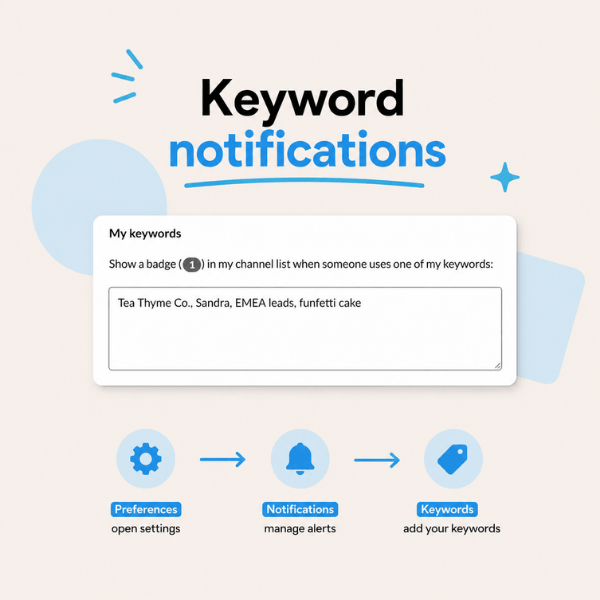
Go to Preferences, then Notifications, then Keywords. Add any word you want to be alerted about: your name, a project name, a client’s name. Slack will notify you anytime that word appears, even in channels you’re not actively watching. You stop missing the things that actually matter to you.
10. Use Emoji Reactions as a Lightweight Approval System
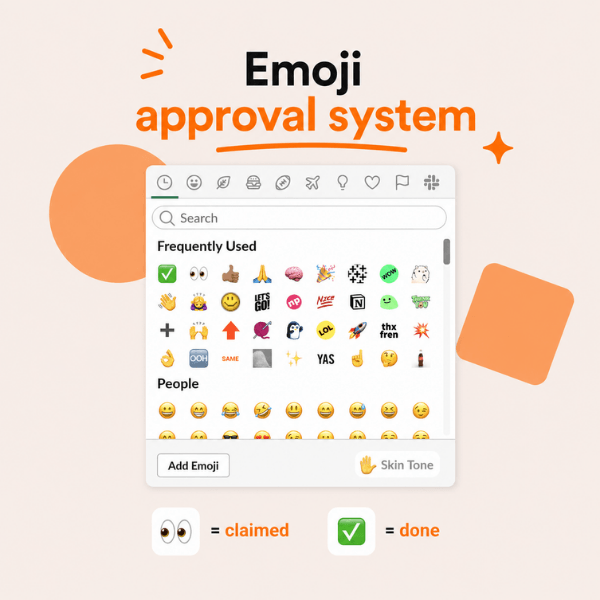
When someone posts a request or drops work for review, have your team react with 👀 to claim it and ✅ when it’s done. No reply thread needed, no status update DMs, no “any update on this?” follow-up. The whole team can see where things stand at a glance.
Start with two of these this week. The navigation shortcuts alone will save you enough time to make the rest worth learning.
LEADERSHIP TOOLS

What Actually Holds a Team Together (Hint: It’s Not Inspiration)
Ask people what makes a good leader and you’ll hear about vision and empathy. Ask anyone who’s actually run a team, and it’s usually something like: the schedule’s covered, payroll went out clean, and nobody’s stuck waiting on you for an answer. Here’s what keeps that running.
If your team is hourly, Homebase handles scheduling, time tracking, and payroll in one app. 150,000+ small businesses use it and save roughly 20 hours a month.
For people checking a phone between shifts instead of sitting at a desk, Connecteam fills the gap. Free under 10 people.
Once HR eats a real chunk of your week, HiBob runs HR, payroll, and finance together, with AI that shaves hours off every onboarding.
monday.com earns its reputation by being genuinely flexible: build your own workflow, whether that’s a launch timeline or your whole sales pipeline.
Hiring eats the most hours for the least visible payoff, which is why Workable’s AI agent sources and screens candidates around the clock. 35,000+ companies use it.
Keeping customers engaged matters just as much as finding them. Campaigner makes email marketing automation easy with customer journeys, behavioral triggers, segmentation, and personalization that help you turn leads into repeat customers without sending every campaign by hand.
You don’t need all eight tabs open at once, just the one that’s costing you the most hours right now.
BIGGEST CHALLENGE

How to Articulate Your Worth When You Think What You Do is “Just Part Of The Job”
“Because I believe ‘it’s nothing special, it’s just part of the job’ or ‘it’s just who I am and what I do,’ I tend to not realize my value. That makes it very hard to articulate my value to my boss.” — Brandie M.
Here is the thing about people who consistently go above and beyond without making a fuss about it: they are usually the most valuable people in the room. They are also, frustratingly, the most overlooked. Not because the work isn’t good. Because nobody knows how good it actually is.
Brandie, the problem isn’t your work. It’s that you’ve convinced yourself your work isn’t worth talking about. Let’s fix that.
Do the two-column exercise
Grab a piece of paper and draw a line down the middle. On the left, write down everything that makes you great at what you do. Every skill, every strength, every time you went above and beyond, solved a problem before anyone noticed it existed, or made something run smoother just because that’s who you are.
On the right, write down the things you think make you unremarkable. The stuff you dismiss with “it’s just what I do.”
Now look at both columns side by side. The left column is almost certainly longer, more specific, and more impressive than you expected. And the right? Most of what ends up there is either wildly underselling a real skill or revealing something you’ve convinced yourself doesn’t count simply because it comes naturally to you.
The things that come naturally to you are not less valuable. They are more valuable, because not everyone can do them.
Remember: there is only one of you
This sounds like a greeting card and it’s also completely true. The specific combination of how you think, how you work, how you show up for your team, and how you solve problems belongs to nobody else. That is not nothing.
That is your entire value proposition! Lean into the fact that YOU are special, and bring a unique set of characteristics to your role and company.
Nobody is coming to advocate for you but you
Managers are busy. They are not sitting in their offices cataloguing your contributions and waiting for the right moment to reward you. If you don’t tell them what you’re doing and why it matters, the information they have about you will always be incomplete.
Advocating for yourself isn’t bragging. It’s giving the people who make decisions about your career accurate information to work with. As we covered in our guide to bragging about your work without the cringe, sharing your wins is a service to the people around you, not a performance for your own benefit.
How to articulate your value without feeling gross about it
The trick is framing. Instead of “I did this great thing,” try connecting your contribution to a business outcome.
- “I noticed X was slowing us down, so I built a process to fix it. It’s saved the team about three hours a week.”
- “I’ve been the point person for Y. Here’s what that’s looked like over the last quarter.”
- “I want to flag something I’m proud of: I took on Z outside my usual scope and here’s what came out of it.”
Facts and outcomes do the heavy lifting. You’re not asking for a trophy. You’re reporting on your work like the professional you are.
Start small and build the habit
You don’t have to walk into your next one-on-one and deliver a highlight reel. Start with one thing per week. One win, one outcome, one problem you solved. Name it out loud, in writing, in a Slack message, wherever feels natural.
The more you practice saying “here’s what I did and here’s why it mattered,” the less it will feel like bragging. Eventually it will just feel like telling the truth.
You have been doing exceptional work quietly for a long time. It’s time to let people in on it.
EXECUTIVE COACHING

Turn the Coaching You Already Do Into a Credential
You’re the one people come to when they’re stuck: the direct report navigating a hard call, the peer talking through a pivot, the team that needs someone to ask the better question. You’ve been coaching for years. You just never made it official.
Hult’s Postgraduate Certificate in Executive Coaching turns that instinct into a real credential, built for experienced professionals (senior leaders, HR, consultants) who want to go deeper. It runs ten months, online, alongside a global cohort, supervised by faculty at the forefront of coaching and psychology.
You leave with the skills and the confidence to make a lasting difference in the people you work with, whether that’s inside your company or in a coaching practice of your own.
👉 Download the program brochure.
P.S. Curious what the curriculum covers? Take a look here.
STAFF PICKS
Stuff We’re Loving This Week
👉 Ready to become an AI superleader? Here one execs exact process on 7/31 at this free event. RSVP.
🍩 Turn your scroll break into a brain workout with DONUT Games.
📖 Between Sisters is the Kristin Hannah cry-on-the-beach read of the summer.
🛠️ Apps, sites, landing pages — describe what you want, and Floot builds it.
JUST FOR FUN

COMMUNITY
 Upcoming Events
- Wed 7/8 @ 9AM PT: Critical & Creative Thinking Workshop with NextArrow (SGS Only* | Join the waitlist)
- Thurs 7/9 @ 9AM PT: How to Set (and Achieve) Quarterly Goals with Clarity and Confidence
- Fri 7/10 @ 7AM PT: AI Workflow Implementation Sprint: Week 2 Live Session
- Thurs 7/16 @ 10am PT: The Decision Default with Laura Weldy (SGS Only* | Join the waitlist)
* Smart Girl Society is our private community for women who want deeper conversations, accountability, and tools that actually make life easier. Join the waitlist to get in the next round.
 Work Wisdom of the Week:
“Choose mentors who open doors, and who say your name in rooms you’re not in. Set boundaries early. Burnout is not a badge of honor.” — Yolanda Gordon (Senior Manager, Fellowship Program & Advocacy)


SPILL THE TEA
Take Our Poll
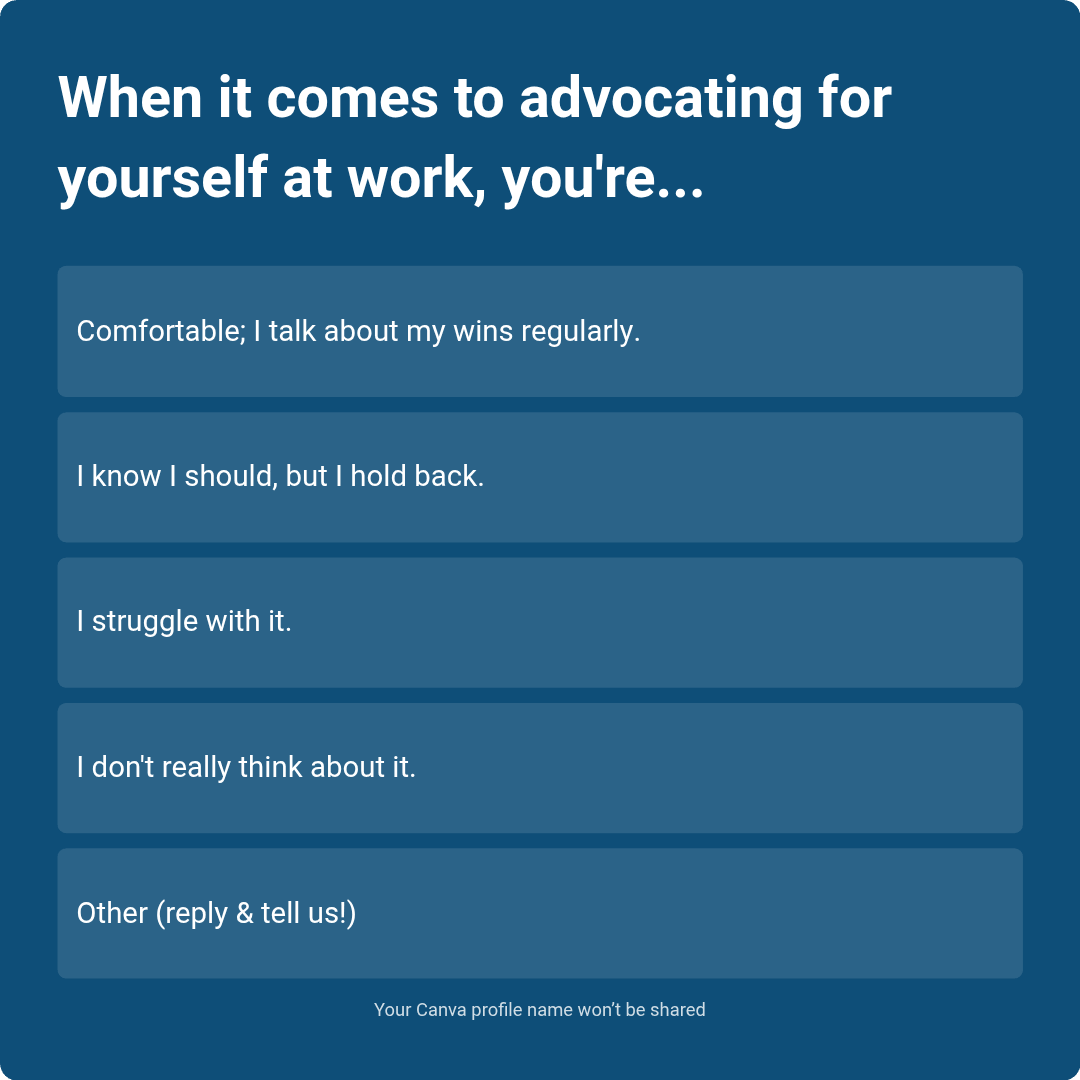
Have more feedback? 💌 Reply to this email and tell us.
✨ P.S. Want more inspiration and positivity to kick off your week? Sign up for our Motivational Monday texts (U.S. only).
👀 Want to see if your company is a good fit for our 250k+ ambitious readers? Join our Sponsor Waitlist here.