
🤔 Brainteaser of the day: I can break without being held, give without being touched, and be kept without being locked. What am I?
Click here to see the answer.
✅ Today’s Checklist:
- Joanna shares how she uses AI for interior design
- The podcast episode to kickstart your 2026
- Pet of the week: Meet Smizz
📅 Tues 1/27: If you can explain an idea, you can build an AI agent. Join Agent.ai for a free live, no-code workshop made for The Assist fam.
QUICK LINKS
🗣️ Avoiding small talk? It could be holding you back at work more than you realize.
💳 Amazon Prime member perk worth knowing: a $150 Amazon gift card when you open this card.
🎉 The secret to recognition that actually motivates people.
🧠 These 8 small daily habits are linked to lower dementia risk.
INTERIOR DESIGN

How I Used AI to Redecorate My Husband’s Office
True story:
I love interior design. I’ll watch anything around organizing, decluttering, and home makeovers, from Tidying Up with Marie Kondo to those hypnotizing “watch me rearrange my entire living room at 11pm” TikToks. If it involves a dramatic reveal, I’m in.
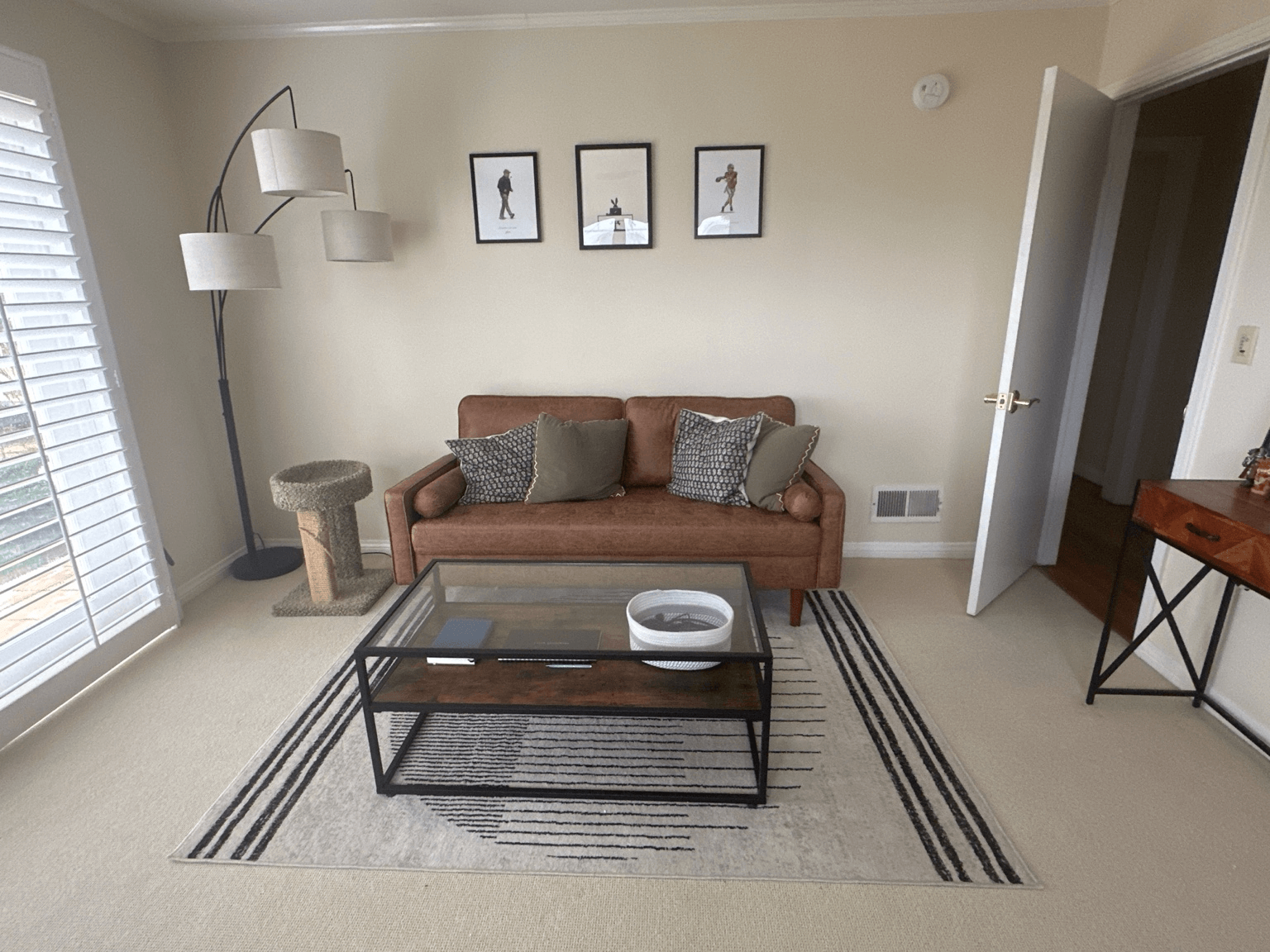
Meanwhile… my husband had an entire room to himself (his office) for almost 2 years and basically furnished it with his computer desk and a couple random book shelves that didn’t quite fit the space.
So I finally stepped in — and because I am who I am — I turned his workspace into a full-blown interior design project powered by AI.
And let me tell you: Using AI for interior decorating? Underrated. Most people I talk to don’t even think to use AI for this kind of thing, but I’m a super visual person, and it’s been an amazing tool for my home upgrade projects.
Here’s exactly how I did it, plus a few tips I learned along the way.
Step 1: Take honest, unfiltered photos of the current room
You don’t need your space to be “guest ready” clean, just take enough accurate photos of your space.
I uploaded things like:
- All four walls/areas of the room
- The desk setup
- The couch, rug, lamp, cat tree — everything
This gave AI a realistic canvas to work with.
Step 2: Upload the furniture & decor you’re considering
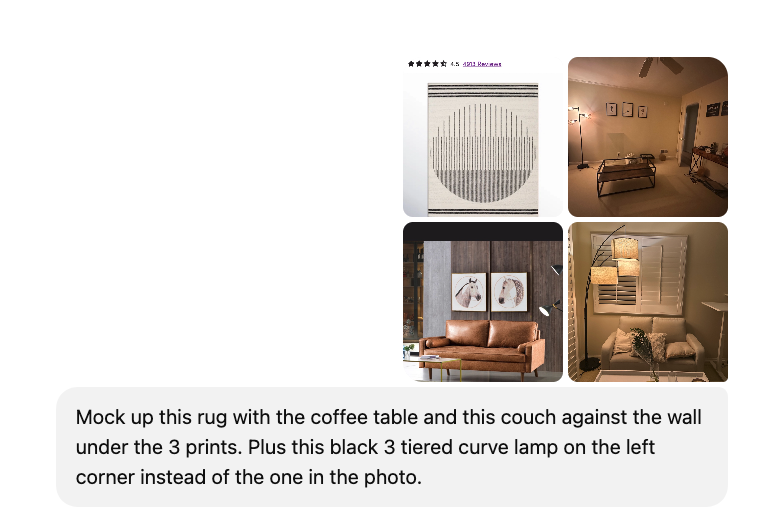
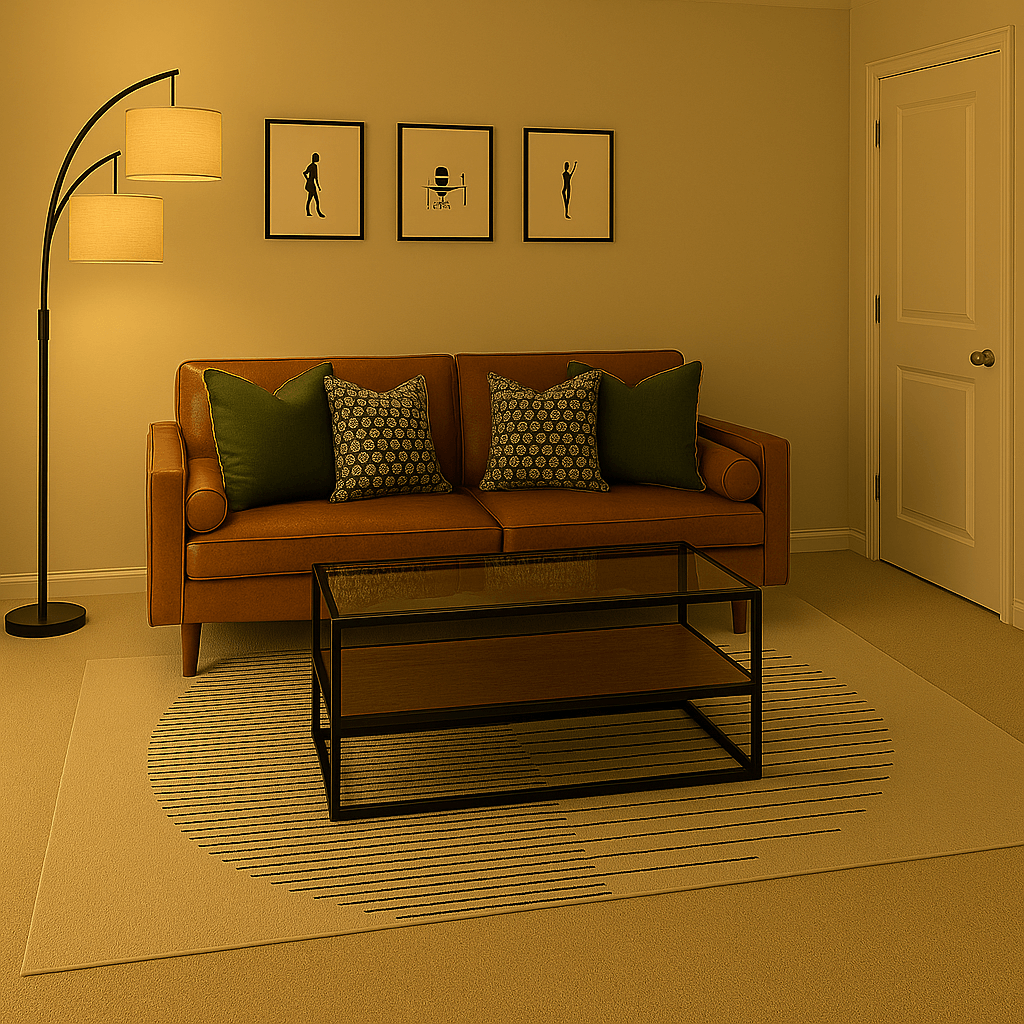
When I was choosing throw pillows, lamps, shelving, rugs, potential seating (chairs vs. chaise), etc., I uploaded actual product photos and asked AI to show me how each piece would look inside my room, at scale.
This helped me nix a few items I was considering purchasing.
The prompt:
The mockup:
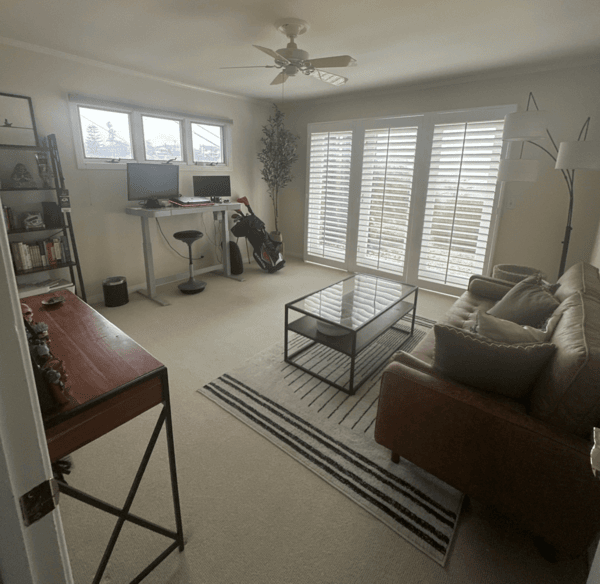
My husband’s real office:
Step 3: Include key dimensions
AI mockups get 10× more accurate when you drop dimensions in the chat.
I added things like:
- Room width & depth
- The couch width (70″)
- Rug size (5×7)
- Coffee table length vs. couch length
- Distances between windows, doors, and corners
It’s the reason the mockups looked almost exactly like my real room.
Step 4: Ask for layout options
I asked AI to show variations:
- Rug forward vs. backward
- Lamp moved to different corners
- Shelf vs. cabinet vs. nothing
- Throw pillow arrangements and combinations (yes, we had a whole pillow saga 😂)
I tweaked the layout until everything felt right.
Step 5: Snap progress pics + let AI “audit” the room
As I made changes — moved the rug, built the ladder shelf, swapped pillows, shifted the lamp — I’d take a quick photo and upload it. This is where AI became my real-time interior designer.
Here are the exact prompts that helped the most:
“What looks off in this photo?”
Great for catching things your eyes stop noticing (rug placement, pillow balance, clutter pockets).
“Give me 2–3 micro-adjustments to make this look more intentional.”
AI suggested tiny fixes like shifting furniture a few inches, re-layering pillows, or balancing shelf height.
“Show me this same room with ______ moved/removed/replaced.”
I used this constantly for lamps, shelves, rugs, and chair/chaise options.
“What would a designer do next?”
AI gave the finishing touches: contrast, symmetry, proportion notes I wouldn’t have thought of.
All of those small adjustments added up, and the final space feels intentional, functional, and so much more “him.”
And because I live for a good makeover…here’s the finished space.
Before:
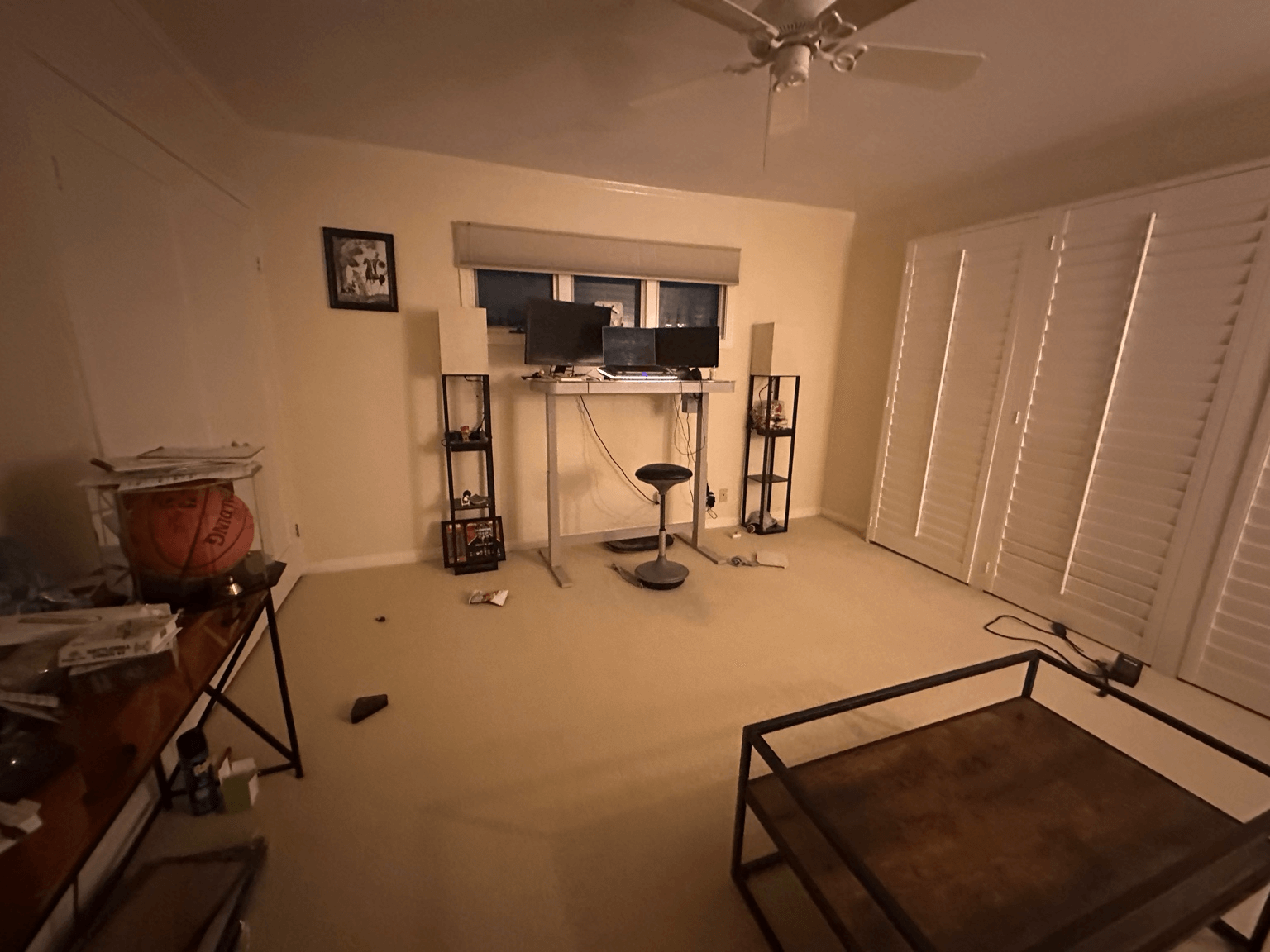
After:
Until the next makeover moment…

Joanna (TA Co-Founder)
EXCEL UPGRADE

Messy Data? Fix It in Under an Hour
Still spending hours wrangling spreadsheets? It doesn’t have to be that way.
In this free 60-minute class, Miss Excel will show you how to:
- Clean messy data in minutes, not hours
- Record beginner-friendly macros you can reuse forever (no coding required)
- Automate your most tedious spreadsheet tasks
You’ll walk away with time-saving tricks you can use immediately, and a glimpse into why over 1 million people swear by Miss Excel.
STAFF PICKS

📚 Read: The Wedding People by Alison Espach
A quietly funny, emotionally sharp read about loneliness, timing, and the weirdly tender ways people connect. Easy to get into, hard not to think about after.
📺 Watch: Sean Combs: The Reckoning on Netflix
Whew. If you’ve been following the Diddy fallout, this doc pulls the thread on the power, protection, and mess behind the headlines. Heavy topics, big cultural moment, and yes, we’re here for the 50 Cent memes.
🎧 Listen: “#1 Mindset Expert: Simple Mindset Shifts That Transform Your Body, Energy, & Life” on Mel Robbins Podcast
A practical, motivating episode focused on small mindset shifts that create real momentum. Perfect for when you want actionable advice without the fluff.
FINANCIAL WELLNESS

Your Money Should Feel Less Stressful Than This
Most money stress comes from not knowing if you’re missing something.
Money Pickle helps you get clear, trustworthy guidance without pressure. In just two minutes, you’re matched with a vetted fiduciary advisor for a free video consult tailored to your career stage, family needs, and long-term goals.
It’s especially useful if you’re:
- Switching jobs and unsure what to do with your 401(k)
- Saving for kids and trying to be tax-smart
- Thinking about retirement and wanting real clarity
P.S. Spots are limited, so book your free call now.
JUST FOR FUN
COMMUNITY
 Upcoming Events
- Tues 1/27 @ 11AM PT: Agent.ai Workshop
- Thurs 1/29 @ 9AM PT: Psych Safety
- Thurs 2/12 @ 9AM PT: Dynamic Coaching (SGS Only* | Join the waitlist)
* Smart Girl Society is our private community for women who want deeper conversations, accountability, and tools that actually make life easier. Join the waitlist to get in the next round.
🐶 Pet of the Week: Meet Smizz
Smizz is a majestic bearded dragon who joined her family in 2020…just before the pandemic shook up the world, leading to the surreal experience of getting drive-thru insect pickups at PetSmart to provide live feed for Smizz.
Now a mature beardie, Smizz still loves insects but also eats a balanced diet of dark greens, red peppers, and carrots. Her favorite activities are basking, sleeping, eating, and giving side-eye (dragons don’t bite; they do worse… they judge you).
But for a small lizard who doesn’t do much, Smizz has a huge personality!

🐾 Got a cute fur baby? Submit them to be our pet of the week in an upcoming issue

SPILL THE TEA
Take Our Poll
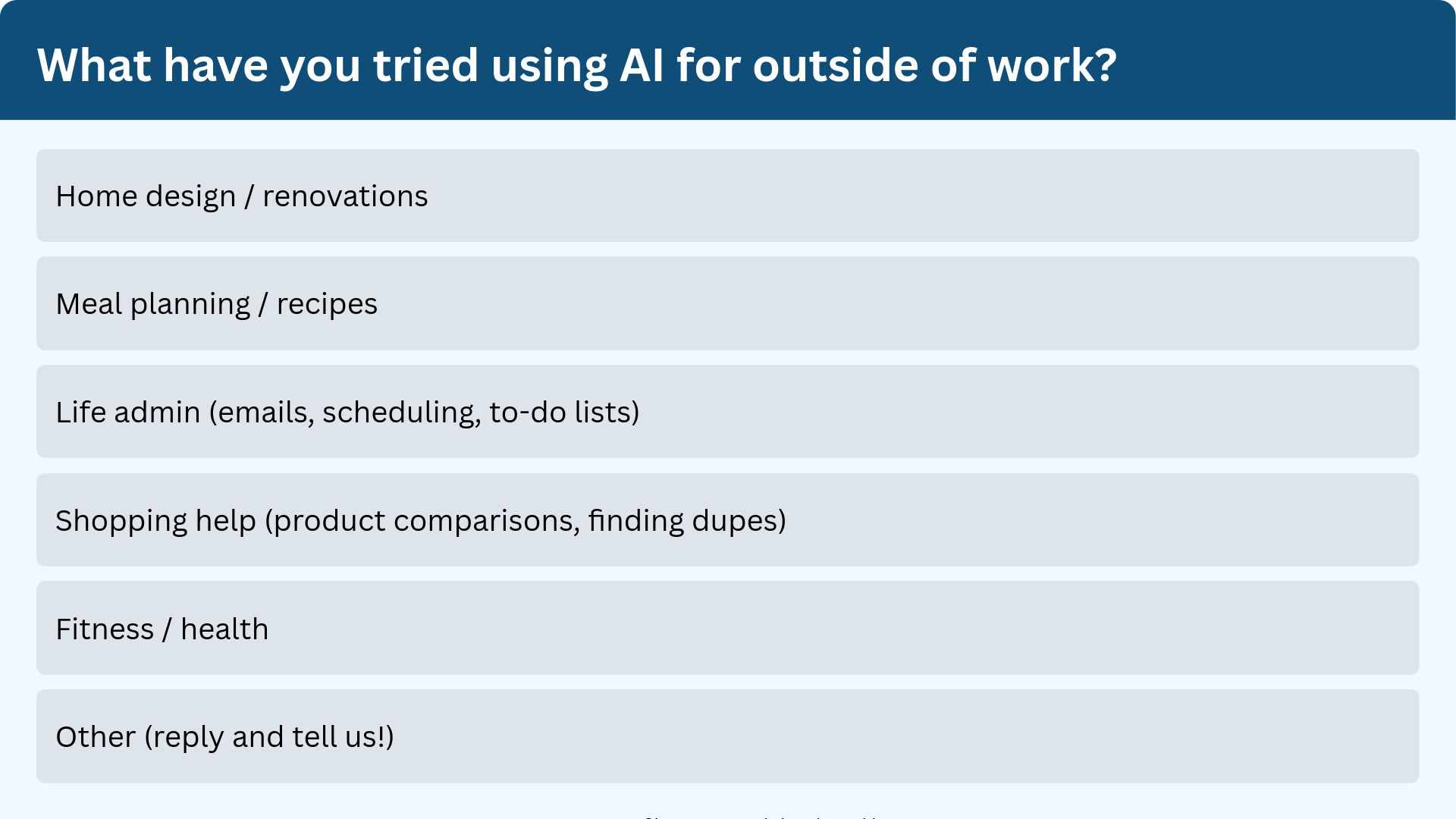
Have more feedback? 💌 Reply to this email and tell us.
✨ P.S. Want more inspiration and positivity to kick off your week? Sign up for our Motivational Monday texts (U.S. only).

👀 Want to see if your company is a good fit for our 250k+ ambitious readers? Join our Sponsor Waitlist here.